
Google Maps for Android Gets a Sleek New Account Switcher
Google Maps has become an indispensable tool for navigating our world, and the Android app just got even better with a new feature that streamlines account management. The redesigned account switcher is a game-changer for users who juggle multiple Google accounts, offering a more intuitive and user-friendly experience.
Simplifying Account Management
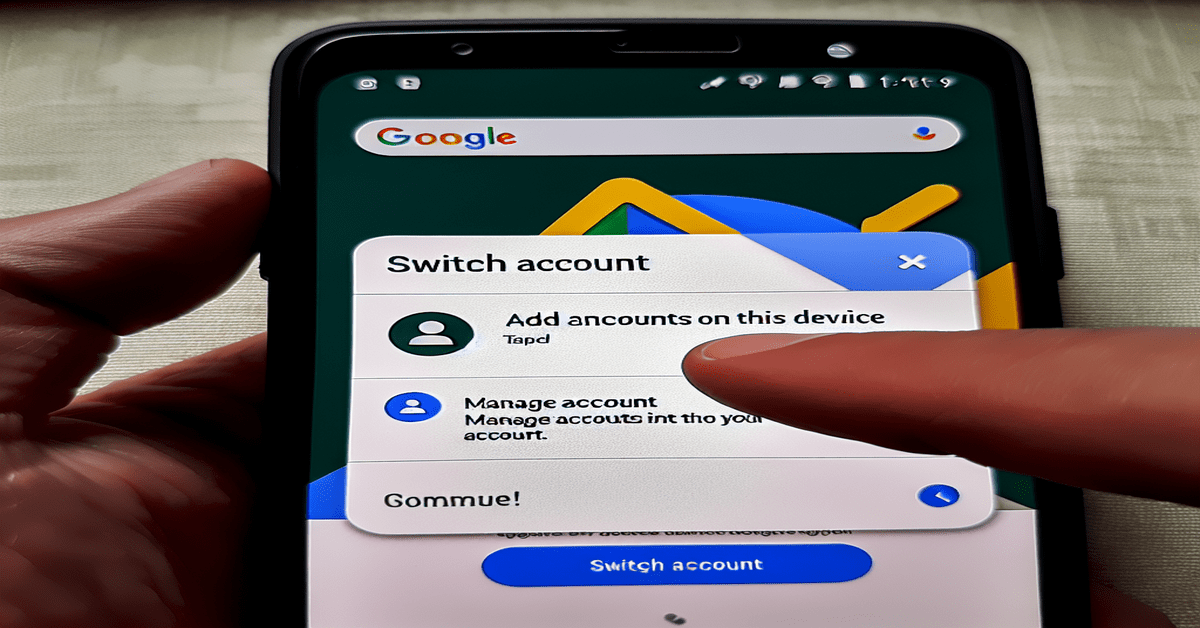
The new account switcher combines the previously separate “Add another account” and “Manage accounts on this device” options into a single, convenient “Switch account” menu. This change not only declutters the interface but also makes it easier for users to quickly switch between their various Google accounts within the app.
To access the new account switcher, simply tap on your profile picture in the top right corner of the Google Maps app. You’ll be greeted by a sleek profile card displaying your name and email address, with the “Switch account” menu conveniently located below the “Manage your Google Account” button.
A Step Towards Unified Design
This update to Google Maps is part of a larger effort by Google to create a more cohesive user experience across its various apps and platforms. By bringing the design of the Android app closer to its web counterpart, Google is demonstrating its commitment to providing a seamless and intuitive interface for its users, regardless of the device they’re using.
The new account switcher design is reminiscent of the user interface found in other popular Google apps, such as Gmail and Google Drive. This consistency in design language helps users feel more at home when navigating between different Google services, reducing the learning curve and increasing overall user satisfaction.
Staged Rollout and Future Updates
While the new account switcher is an exciting development for Google Maps users, it’s important to note that the feature is currently being rolled out in stages. This means that not all users will have access to the updated design right away, but it is expected to become widely available in the near future.
The rollout is server-side, which means that users won’t need to update their app to access the new feature once it becomes available to them. This approach ensures a smooth transition for users and allows Google to monitor the feature’s performance and gather feedback before releasing it to a wider audience.
Looking ahead, the introduction of the new account switcher in Google Maps sets the stage for similar updates in other Google apps. The Google app itself is a prime candidate for adopting this new design, further streamlining the user experience across the Google ecosystem.
Benefits for Multi-Account Users
The new account switcher is particularly beneficial for users who manage multiple Google accounts within the Google Maps app. Whether you’re using separate accounts for personal and business purposes, or simply have multiple accounts for different regions or preferences, the updated interface makes it easier than ever to switch between them.
With a cleaner and more intuitive design, users can now spend less time navigating menus and more time exploring the world around them. The simplified account management system also reduces the chances of accidentally using the wrong account for your mapping needs, saving you time and potential frustration.
Embracing Change for a Better User Experience
As with any change to a beloved app, some users may require a bit of time to adjust to the new account switcher design. However, the long-term benefits of this update far outweigh any short-term discomfort. By continuously refining and improving its user interface, Google demonstrates its commitment to providing the best possible experience for its users.
As Google Maps continues to evolve and integrate new features, such as the recently announced AR indoor navigation and eco-friendly routing options, the new account switcher serves as a foundation for a more user-centric approach to design. By prioritizing simplicity, consistency, and ease of use, Google is ensuring that its users can make the most of these powerful features without being bogged down by unnecessary complexity.
Conclusion
The introduction of the new account switcher in Google Maps for Android is a testament to Google’s dedication to enhancing user experience across its platforms. By streamlining account management and bringing the app’s design closer to its web counterpart, Google is setting the stage for a more unified and intuitive user interface across its ecosystem.
As the rollout continues and more users gain access to this feature, it will be exciting to see how it impacts the way people interact with Google Maps and manage their accounts. With this update, Google has once again demonstrated its commitment to innovation and user-centric design, cementing Google Maps’ position as the go-to navigation app for Android users worldwide.
#GoogleMaps #AndroidUpdate #AccountSwitcher #UserExperience #innovation
-> Original article and inspiration provided by Android Police
-> Connect with one of our AI Strategists today at ReviewAgent.ai